

All store owners who want to improve their business operations should consider Analytics in Shopify as a main tool. Shopify Analyze delivers powerful insights that help businesses track sales performance and understand customer behavior patterns. Numerous store owners face challenges when trying to fully leverage their data. This guide shows you how to use Shopify Analytics efficiently while highlighting its advantages and limitations and teaching you how to build custom reports using Mipler.

What is Shopify Analytics?
Shopify Analytics delivers performance data to store owners about their stores. This system provides Shopify Sales Reports and customer insights along with marketing data among other features. By analyzing these data points, businesses can base their decisions on solid information, which can lead to bigger income.
Analytics Overview
Store owners have access to many tools provided by Shopify Analyze, which enhance their store's performance through analytics:
- Sales Reports make it possible to monitor performance while also tracking order volume and business profitability.
- Customer reports provide insight into both shopping patterns and demographic data of customers.
- Businesses can assess the effectiveness of their advertising campaigns through Marketing Reports.
- Live View serves as a system that allows store owners to monitor their Shopify store analysis ongoing activity and provides visual representation of current visitor/orders.

Benefits of Using Shopify Analytics for Your Online Store
- Data-Driven Decisions: Shopify Website analytics gives business owners access to live data to support their choices and plan store adaptation more effectively.
- Customer Insights: Shopify Analyze tools allow you to track repeat customers and determine the average order value based on customer lifetime value. Support metrics like response times, resolution rates, and satisfaction scores also directly impact lifetime value — a helpdesk solution can help you track these alongside your sales data.
- Improved Marketing Performance: Understanding sales movement and advertisement performance allows you to distribute your budget more efficiently and increase your overall performance.
- Complete Customer Experience View: Sales data tells only part of the story. Integrating support metrics from tools like Helpdesk MX gives you a full picture of customer experience — because happy support interactions drive repeat purchases.
Explore related reports
How to Use the Built-In Analytics Features
Shopify offers a range of reports that are easy to access:
- Go to your Shopify Admin panel.
- Click on "Analytics" from the left sidebar.
- Navigate through different sections such as Shopify Reports and Live View.
- Customize Shopify analytics reports by applying filters to focus on specific data.
What Are the Limitations of Shopify Analytics?
Even though Shopify data analytics offers decent capabilities, it also comes with particular restrictions:
- Basic Reports Only: The default reports from the system do not support extensive customization options.
- Limited Historical Data: The available reports provide historical data only for defined time periods.
- No Customization: Advanced reporting capabilities require external tools due to the inflexible customization features of Shopify Analytics.

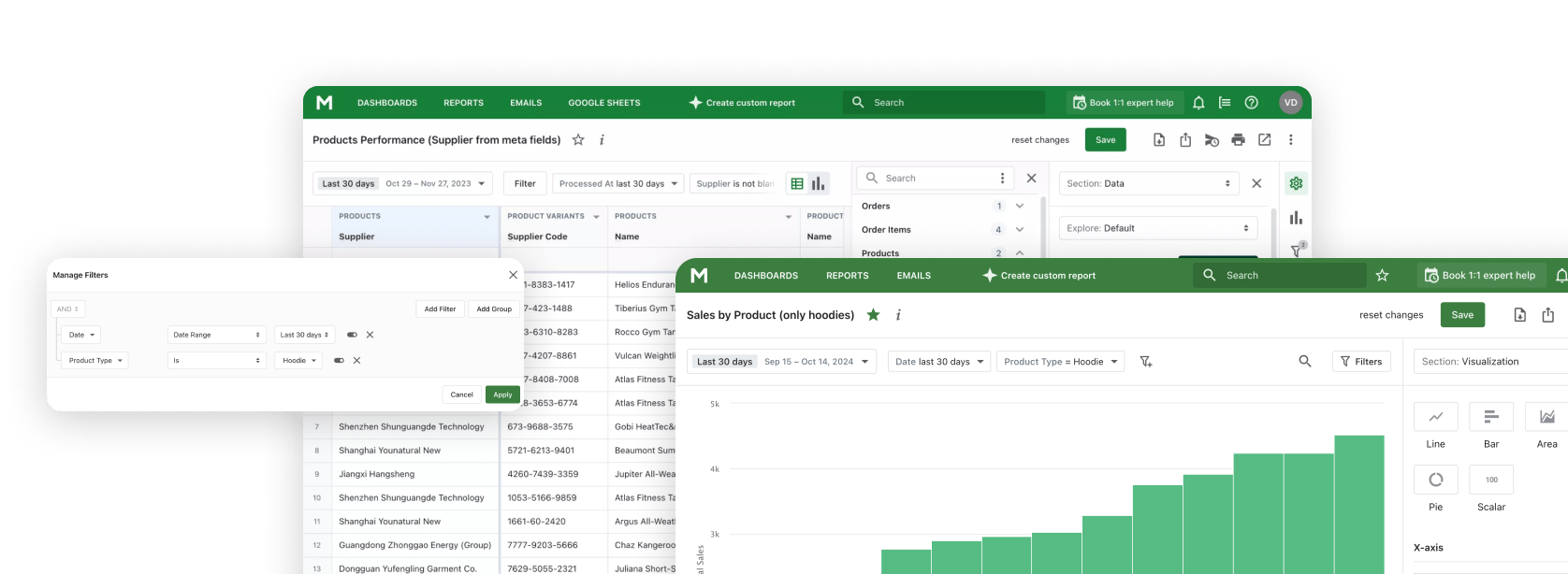
Build Custom Shopify Reports with Mipler
Mipler provides store owners with advanced reporting tools for analyzing detailed business variations:
- Create customized reports that meet their precise operational demands.
- Access custom reports that analyze performance together with marketing trends and provide Shopify customer analytics behavior patterns.
- Combining data from multiple sources enhances analytical capabilities to achieve complete analysis.
- Pin the metrics that matter to a custom Shopify dashboard with drag-and-drop widgets and period-over-period comparison.
Creating a Custom Report in Mipler involves several steps which allow you to use reports to your specific needs:
- Install Mipler from Shopify Apps Store.
- Pick an existing template for your report or build a new one from scratch.
- Use filters and segmentation to obtain precise Shopify insights.
- Export and automate reports analytics for Shopify ongoing analysis.

Shopify Analytics FAQ
Is Shopify Analytics free?
Yes. Basic Shopify Analytics is included with every Shopify plan, including the Starter plan. Higher tiers (Grow, Advanced, Plus) unlock more reports and longer historical ranges, but the core dashboard, Live View, and overview reports are available to all stores.
Why is my Shopify Analytics data delayed?
Most Shopify Analytics dashboards refresh in near-real-time, but some aggregated reports (sessions, returning customers, attribution) update every few hours. Live View is the only truly real-time surface. If a report still looks stale after several hours, check that your reporting timezone in Shopify admin matches the timezone you're viewing data in.
What's the difference between Shopify Analytics and Mipler?
Shopify Analytics is built into the platform and gives you a fixed set of reports that Shopify defines. Mipler is a third-party reporting app that lets you build custom reports with your own columns, filters, formulas, and joins across orders, products, customers, inventory, and metafields — and schedule them by email or display them in custom dashboards.
Can I track custom events in Shopify Analytics?
Built-in Shopify Analytics does not let you define your own events. You can use Shopify's Web Pixels API or third-party analytics (GA4, Mixpanel) for that. For custom reporting on existing order, product, and customer events, Mipler can pull and combine those data points without extra tracking code.
How do I export Shopify Analytics data?
From most Shopify Analytics reports you can click "Export" to download a CSV. Some reports are available only on higher Shopify plans. For repeatable exports — for example a weekly sales-by-product CSV emailed to your team — install Mipler and use scheduled report delivery.
How do I create a custom Shopify Analytics report?
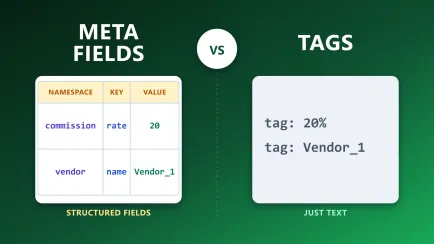
Built-in Shopify Analytics has limited customization — you can mostly adjust filters and date ranges. To build a fully custom report (custom columns, formulas, joins between orders, products, customers, and metafields), use a reporting app like Shopify Custom Reports in Mipler. Pick a template or start from scratch, then schedule it by email or pin it to a dashboard. If the data behind those reports is stored in tags rather than structured fields, see Shopify Metafields vs. Tags for why that matters before you build.
Conclusion
Shopify Analytics serves as a valuable platform for analyzing your business performance yet possesses certain limitations. Shopify Custom Reports enable you to gain deeper Shopify insights and fully personalize your reporting needs. Advanced Shopify sales analytics give you more understanding in making decisions and efficiency in business scaling. The correct Shopify analytics tools allow you to turn raw data into practical strategies that will expand your Shopify business.