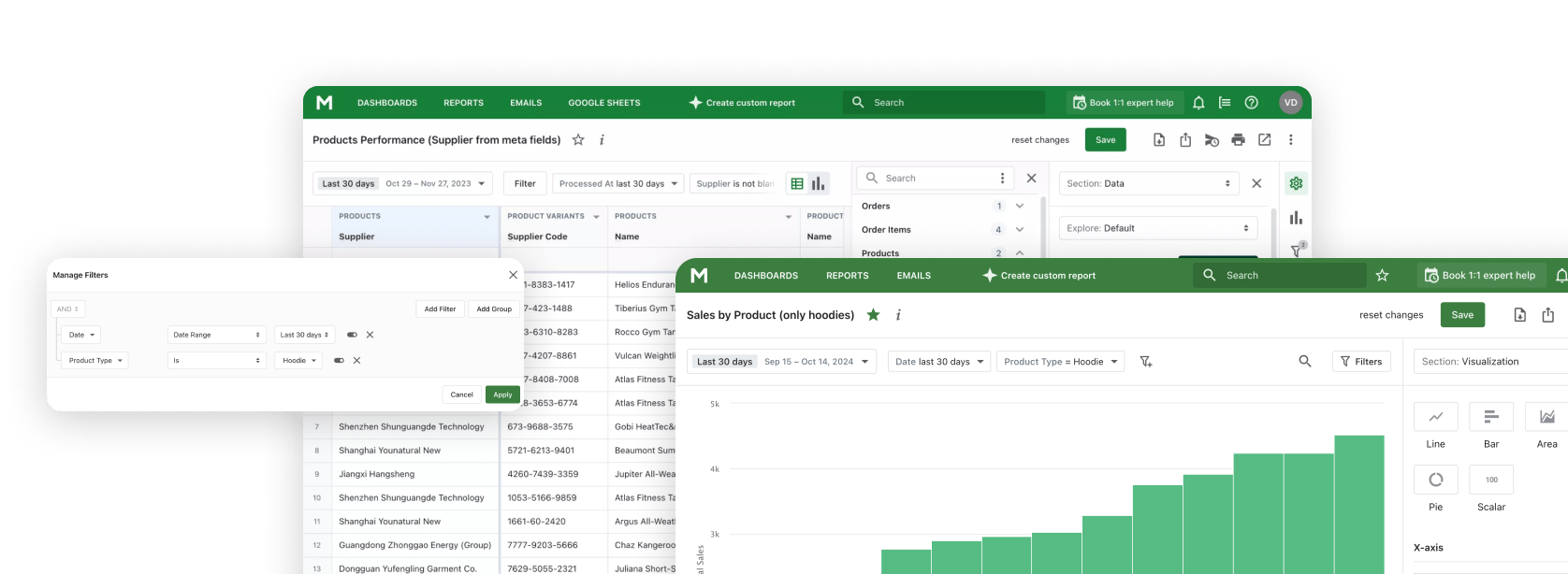

Mipler Reports vs Vendor Payout
In the realm of Shopify multi-vendor stores, having the right vendor app for sales reports and payouts is crucial. Mipler Reports is an advanced reporting solution for Shopify that lets you create any custom report and schedule automated deliveries.
Vendor Payout is a multi-vendor Shopify app focused on automating commission payments and tracking vendor sales. In this comparison, we'll explore each tool's strengths and weaknesses, and show why Mipler often provides a more flexible, feature-rich solution for Shopify sellers.
What Are Mipler Reports and Vendor Payout
Mipler is an all-in-one Shopify reporting app for stores of any size. It offers over 100 pre-built templates (for sales, customers, inventory, finance, etc.), an AI-assistant that can build reports for you and a drag-and-drop builder to design custom reports and dashboards.
Vendor Payout is designed specifically for multi-vendor shops. It automates payouts to vendors while tracking sales & profits, providing vendor dashboards and custom filters. In practice, Mipler covers everything from order sales to inventory forecasting, while Vendor Payout focuses on vendor commissions, fees and sales splits.

Pros and Cons
Mipler Reports Pros:
- Highly customizable with a user-friendly report builder.
- You get a large library of templates and custom dashboards to visualize any metric.
- Mipler also offers scheduling (email reports) and Google Sheets integration, so you can automate data sharing.
- Many store owners praise its advanced features and support (it has a 5.0/5.0 rating).
Mipler Reports Cons:
- Mipler focuses on analytics, not direct payouts, but gives full control over payout tracking.
- Pricing starts at $9.99, with trials available to explore its advanced features, but on higher plans offer a dedicated support engineer.
Vendor Payout Pros:
- Built specifically for vendor management.
- It automates payouts (even via PayPal) and provides vendor logins for sales/inventory.
- The app automatically calculates fees by percentage or fixed amount for each vendor. This is ideal if you only need to handle vendor commissions.
Vendor Payout Cons:
- Narrow scope, mainly vendor sales with limited general reporting.
- No free plan (7-day trial only) and limited customization beyond vendor payouts (users report needing spreadsheets for complex reports).
Product Comparison Table
| Feature | Mipler | Vendor Payout |
|---|---|---|
| Primary Focus | Useful Shopify analytics and reports | Vendor commissions and split payments |
| Custom Reports | Fully drag-and-drop report builder | Basic vendor filtering (by date, product, vendor) |
| Pre-built Templates | 100+ ready-made report templates | Limited and focused on vendor/order metrics |
| Vendor Management | Can report on any vendor data if added to orders | Dedicated vendor accounts with sales/stock control |
| Dashboards | Custom dashboards for multiple metrics | Single dashboard for combined sales & profit |
| Scheduling | Automated emails with custom frequency | Payouts are manual or via PayPal scheduling |
| Integrations | Google Sheets, CSV/PDF exports, shareable links | None (no external data integrations, basic CSV import) |
| Vendor Login | No separate login, share reports via link | Each vendor gets a login to view their data |
| Starting Price | $9.99/month (for Basic Shopify, 7-day trial) |
$30/month (Starter, 7-day trial) |
| Trial/Free Plan | Limited free plan/trial available Free for stores with less than 1000 lifetime orders |
7-days free trial only |
| Historical Product Cost |
Cost is captured when the order is created and stored with it, so COGS, margin and profit for closed periods stay fixed when you update a cost later. Recorded from installation onward. |
Reads the current Shopify cost field. Updating a cost recalculates profit for every past order. |
| Your Own Data in Reports |
Load your own datasets (ad spend, targets, stock in offline stores, order comments from staff without Shopify access) and use them as fields joined to Shopify data in the same report. |
Basic CSV import only, no external data used in reports. |
| Dates in Metafields |
A metafield becomes a real date or timestamp as a field type, with no query language involved: date arithmetic, filters on future ranges, grouping by day, week or month, and use in formulas. |
No metafield reporting. |
| User Rating | 5.0/5.0 (636+ reviews) | 4.9/5.0 (45 reviews) |
Historical Cost, External Data, and Dates in Metafields
Historical product cost, not today's cost
Shopify keeps a single Cost per item value per variant and stores no history for it. Every app that reads that field through the Shopify API therefore works out the cost of goods sold for past orders from today's number. Correct a supplier price and last quarter's gross profit moves with it, even though nothing about that quarter changed. Vendor Payout reads that same current cost value, so historical profit figures shift with it.
Mipler records the product cost at the moment an order is created and keeps it on that order. A later cost change applies from that point forward and leaves closed periods untouched, so margin, COGS and profit reports for any past month stay reproducible. Tracking begins when you install Mipler: orders created before the install have no cost of their own recorded and fall back to the current Shopify value.
Your own data, reported next to Shopify data
Much of what decides profit never lives in Shopify: ad spend spread across several platforms, monthly targets, stock in an offline store that is not a Shopify location, or order comments written by people who have no Shopify access at all. Most reporting apps answer this with a fixed list of connectors, which helps when your source is on the list and does nothing when it is not.
Mipler lets you load your own dataset and then use it as an ordinary field in the report builder: join it to orders, products or customers, filter on it, and use it in formulas beside Shopify metrics. That is what makes blended reporting possible. Revenue against ad spend for the same period, actuals against targets, total stock across Shopify and offline locations, or an order list carrying notes from a team that never logs into Shopify.
Dates kept in metafields, treated as real dates
Shopify hands metafield values to reporting tools as text. Getting from that text to a question like "which subscriptions expire in the next seven days" is where reporting apps differ most. Some ask you to pick the right date format by hand and fail quietly when the guess is wrong, some expect the conversion to be written in a query language, and some cannot read metafields at all. Vendor Payout has no metafield reporting to build this on.
In Mipler a metafield becomes a real date or timestamp as a field type, with no query language involved. From there it behaves like any built-in date field: compare it with today, calculate the difference in days, filter on ranges that sit in the future, group by day, week or month, and use it in formulas and conditional formatting. A few reports this opens up:
- Subscriptions about to lapse. Take the subscription end date from a customer metafield, work out how many days are left, and list every customer whose subscription expires within a week, ready for a reminder.
- Tomorrow's delivery run. Convert the requested delivery date on the order into a timestamp, filter for tomorrow, and aggregate by product, so the warehouse gets one picking list instead of a pile of orders.
- Stock that is about to expire. Read the best before or expiry date from a product metafield, group by the month it falls in, and multiply the quantity at risk by unit cost to see what a markdown decision is actually worth.
- Pre-orders and release dates. Group open pre-orders by the release date held in a product metafield to see what has to ship each week, and how much revenue waits behind each date.
- Warranty and service windows. Add the warranty period to the order date, or read the service due date from a metafield, and pull the customers whose cover ends this month.
- Bookings, rentals and events. Report on the event or rental date kept in an order metafield or line item property: sales by event date, items due back today, occupancy per week.
- Incoming stock. Compare the expected arrival date on a purchase order metafield with current stock cover, and see which SKUs run out before the replenishment lands.
You Do Not Have to Build the Report Yourself
Learning a reporting app is a real cost, and a builder with a thousand available columns is not generous, it is a maze. You have to know that the number you want is called something else here, that it sits on the line item rather than on the order, and that it needs a filter nobody told you about.
With Mipler you can skip that part. Send us the list of what you need in plain words, in whatever form it already exists: a sentence, a few bullet points, a screenshot of the spreadsheet your accountant keeps, or the column headings the warehouse asked for. Our team builds the report, sets up the filters and the calculated columns, and hands it back working inside your Shopify admin. You do not learn a new app, and you do not guess which of a thousand fields is the right one.
After that the report belongs to you. Open it, change a filter, add a column, duplicate it for the next question, or send it back to us to adjust. Live chat is there on every plan, the AI assistant can draft a report from a description, and higher plans add a dedicated support engineer and calls with the people who build the reports.

Why Choose Mipler for Shopify Reports
Mipler's Shopify Reports app stands out for its flexibility and ease of use. Where Vendor Payout focuses narrowly on each vendor's share, Mipler provides a comprehensive view of the business. For example, store owners can "add vendor" information in Shopify and then include that data in custom Mipler reports to analyze sales. You can filter any report by vendor (or date, product, etc.) using the same interface you use for finances or inventory.
With outstanding features like custom dashboards, automated reporting, and Google Sheets integration, Mipler remains one of the most effective vendor payout alternatives. It has earned high user satisfaction thanks to functionality and AI prompt support. In short, Mipler delivers more reporting power: you not only handle vendor payouts, but also optimize your entire Shopify store performance.
As a quick answer,Mipler Reports is a top choice. It covers all aspects of store analytics (sales, inventory, vendors, etc.) with maximum flexibility, making it the best overall solution for Shopify stores looking to manage vendors and data effectively.
Comparing more than two apps? See how Mipler stacks up against five other reporting apps on price, free plans and features. Best Shopify Reporting Apps 2026.