

Six apps show up repeatedly when merchants search for Shopify reporting tools: Mipler Reports, Report Pundit, Better Reports, Report Toaster, Data Export IO, and Lifetimely by AMP. Every one of them claims metafield support, financial reporting, and increasingly AI features on their pricing pages. Below is a feature comparison table, followed by a closer look at each app's pricing and capabilities.
Everything below is checked directly against each app's Shopify App Store listing, official site, and reviews, most recently in September 2026.
Why Shopify Reports Matter
Shopify's built-in analytics cover the basics - total sales, top products, traffic sources - but stop short of custom filtering, metafield-level detail, or scheduled delivery to a spreadsheet. That gap is what the six apps below are built to close.
Feature Comparison
| Feature | Mipler | Better Reports | Report Pundit | Report Toaster | Data Export IO | Lifetimely by AMP |
|---|---|---|---|---|---|---|
| Plan Price | $9.99 - $249.99 |
$19.90 - $299.90 |
$9.00 - $60.00 |
$18.00 - $150.00 |
$12.00 - $50.00 |
$49.00 - $999.00 |
| Trial | 7 days | 14 days | 14 days | 14 days | 15 days | 14 days |
| Free plan | Yes | No | Yes | Yes | No | Yes |
| Rating | 5.0 (636) | 5.0 (1,202) | 5.0 (2,030) | 4.9 (218) | 5.0 (2,008) | 4.9 (537) |
| Metafields | Yes | Yes | Yes | Yes | Yes | No |
| Cost captured at order | Yes | No | No | No | No | No |
| Your own data | Yes | No | No | No | No | No |
| AI Assistant + Features | Yes, all plans | No | No | Yes | No | Yes |
| Public Share Links | Yes | No | Yes | Yes | Yes | No |
| Dashboards | Yes | No | Top tier only | No | No | Yes |
| Multi-store | Yes (Pro) | Yes | Yes (Advanced+) | Yes | No | Yes |
| Forecasting | Yes | No | No | No | No | Yes |
| Report Builder | Yes | Yes | Yes | Yes | Yes | No |
| Scheduled Emails | Yes | Yes | Yes | Yes | Yes | Daily digest only |
| Alerts | Yes (Smart Alerts) | No | No | No | No | Yes |
Prices depend on your store's own Shopify plan tier - and that includes Mipler Reports: from $9.99/mo on Shopify's Basic plan up to $249.99/mo on Shopify Plus. Report Pundit, Better Reports, Report Toaster, and Data Export IO follow the same pattern. Lifetimely is the outlier - it prices by order volume instead, running from $49/mo at 500 orders to $999/mo for unlimited volume above 25,000 orders a month.
Top Reporting Shopify Apps
1. Mipler Reports
Listed on the App Store as Mipler - Advanced Reports.
Key features:
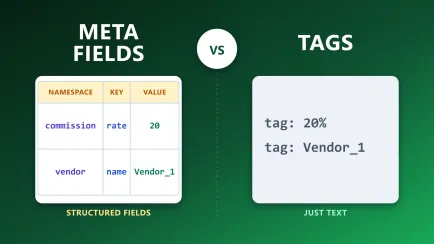
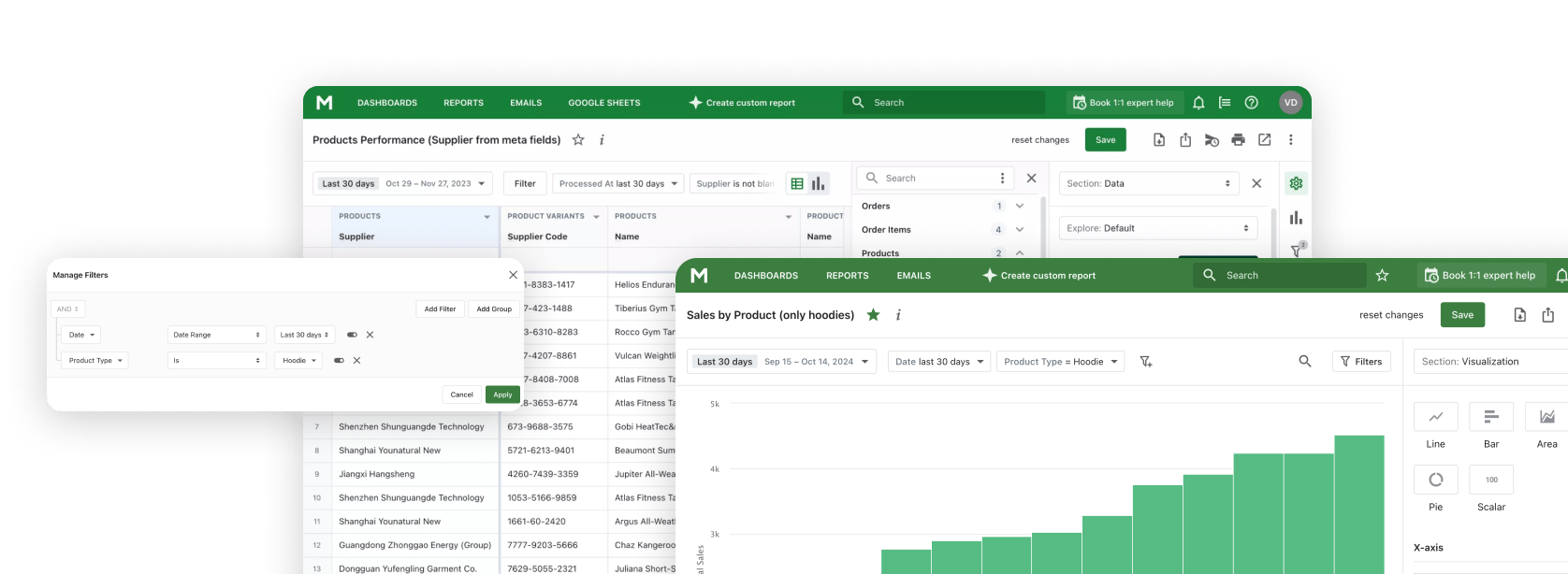
- Custom reports from orders, products, inventory, metafields, and tags
- Dashboards and notebooks for a live view of your data
- Financial, tax, and profit reporting
- Scheduled exports to Excel, CSV, PDF, or Google Sheets
- Direct-link sharing - recipients don't need Shopify admin access
- AI Assistant and Daily AI Digest included on every plan, including Free
- Product cost recorded at order creation, so margins for closed periods don't move when a cost is updated later
- Your own datasets - ad spend, targets, offline stock, order comments - joined to Shopify data in the same report
- Metafield dates turned into real date fields, for filters on future dates, grouping, and day counts
Reviewers describe the report builder as approachable for a first-time user while still going deep enough for large catalogs. Metafield-based reporting specifically gets called out as easier here than in other apps reviewers had tried before switching.
Free plan: up to 1,000 lifetime orders, no time limit. Paid from $9.99/mo. 5.0 stars, 636 reviews.

2. Report Pundit
Key features:
- 150+ pre-built templates across sales, tax, payout, fulfillment, customer, POS, and inventory data
- Custom report and dashboard builder
- Export to Excel, CSV, PDF, and JSON
Reviewers specifically single out payout and POS reconciliation as a strength, an area they say Shopify's own reporting doesn't reach. Exporting to Excel directly from a phone gets mentioned more than once. See the full Mipler vs Report Pundit comparison for a deeper breakdown.
Free plan: ~999 orders, 90-day history. Paid from $9/mo, scales with your Shopify plan tier. 5.0 stars, 2,030 reviews.
3. Data Export IO
Key features:
- Prebuilt and fully custom reports across sales, inventory, shipping, payouts, tax, customers, and refunds
- Calculated fields and formulas
- Automated delivery via email, FTP, SFTP, Google Drive, or Google Sheets
Some merchants have relied on it for 6+ years as a core part of daily operations, and reviewers credit it with handling complex custom-field requests, including mapping metafields into a report by hand.
There's no free plan, despite what some third-party app directories list (that listing belongs to a different app in Shopify's own "more apps like this" carousel). Paid from $12/mo, every plan gets every feature. 5.0 stars, 2,008 reviews.
4. Better Reports
Key features:
- Pre-built reports across sales, payments, inventory, customers, and payouts
- Custom metrics through its own query language
- Export to CSV, PDF, Excel, HTML, and Google Sheets
- An offer to build custom reports for you directly
See the full Mipler vs Better Reports comparison for a deeper breakdown.
That last point is the theme reviewers return to unprompted, including several merchants who've used the app for 5-8+ years and still credit it as the real reason they stay.
Free plan: none. Paid from $19.90/mo, scales with your Shopify plan tier. 5.0 stars, 1,202 reviews.
5. Lifetimely by AMP
Key features:
- Real-time P&L, predictive LTV, RFM segmentation, and channel-level attribution
- Customizable dashboard templates (eCommerce, Acquisition, Retention, Finance)
- An "AI Profit Agent" that flags opportunities and risks for approval
It's structurally different from the other five: there's no free-form report builder, just dashboard templates, and no metafield support at all. It's also the only app here that ships a report actually named "P&L."
Long-time users describe it as a trusted, low-maintenance source of truth for LTV specifically, with account-manager-style support as a recurring theme.
Free plan: up to 50 orders a month, renewing rather than a lifetime cap. Paid from $49/mo, priced by order volume rather than features. 4.9 stars, 537 reviews.
6. Report Toaster
Key features:
- Real-time reporting with scheduling and export across every connected store
- Spreadsheet-style report interface
- An "AI Report Builder" that generates a report from a plain-English description
See the full Mipler vs Report Toaster comparison for a deeper breakdown.
Reviewers repeatedly say it delivered after several other reporting apps they'd tried had failed to, particularly for tax, state-level, and metafield-based reports.
Free plan: 90-day report history. Paid from $18/mo, scales with your Shopify plan tier. 4.9 stars, 218 reviews.
Explore related reports
Is There a Free Shopify Reporting App?
Yes - Mipler Reports, Report Pundit, and Report Toaster each have one. The Mipler Reports free plan is order-capped (1,000 orders total, no time limit); Report Pundit and Report Toaster limit by history window (90 days) or order count (~999) instead. Better Reports and Data Export IO have no free tier. Lifetimely's free plan caps you at 50 orders a month, which a store can sit under indefinitely - but it is the tightest of the four, and the only one metered per month rather than by lifetime orders or history window.
FAQ
What's the best Shopify app for custom reports with metafields?
Mipler Reports, Report Pundit, Better Reports, Report Toaster, and Data Export IO all support metafields as a usable field in reports. Lifetimely doesn't support metafields at all - it's a dashboard product, not a report builder.
How much does Mipler Reports cost?
Mipler Reports has a free plan for stores under 1,000 lifetime orders. Paid plans start at $9.99/month on Shopify's Basic plan and reach $249.99/month on Shopify Plus, with AI features included on every plan.
Does Mipler Reports offer AI features on the free plan?
Yes. The AI Assistant, AI Alerts, and Daily AI Digest are available on every plan, including Free.
Can I share a report from Mipler Reports without giving someone admin access?
Yes. Direct-link sharing, available from the Basic plan, lets you send a report to someone who doesn't have Shopify admin access.
What is the Daily AI Digest in Mipler Reports?
Based on the day's insights, the Mipler Reports AI suggests a report worth building. It's a suggestion the merchant acts on, not an automatic report generator.
Where This Leaves You
Before picking based on price alone, check how many rows in the table above a single app actually covers. Splitting reporting, AI features, and dashboards across two or three separate apps adds up - in subscription cost, and in having your reports, features, and data scattered across logins instead of in one place. The app that covers the most of what you actually need on its own is usually the cheaper, simpler choice once you count everything you'd otherwise pay for separately.