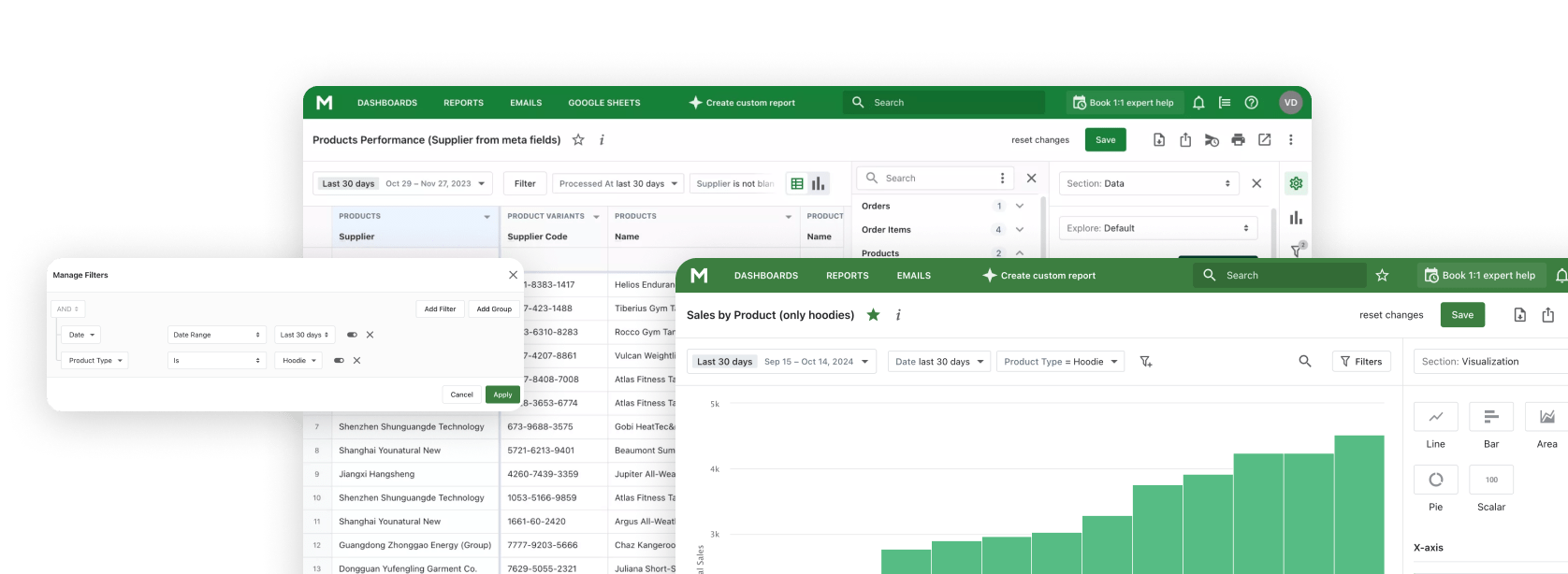
Connect AI tools like Claude, ChatGPT, and Gemini to Mipler Reports - your Shopify reporting and analytics platform.
Build reports, analyze trends, and get business insights through natural conversation using the Model Context Protocol.
Voortdurend gegevens exporteren uit Shopify, kopiëren naar spreadsheets en vervolgens plakken in AI-tools. Een vervelende cyclus die waardevolle tijd verspilt.
Wanneer u AI vraagt over uw bedrijf, heeft het geen toegang tot uw werkelijke gegevens. U krijgt generieke antwoorden in plaats van inzichten specifiek voor uw winkel.
Schakelen tussen uw analysedashboard, AI-chat en spreadsheets onderbreekt uw workflow en maakt analyse inefficiënt.
Verbind Claude rechtstreeks met uw Shopify-winkelgegevens via Mipler Reports. Geen exports, geen kopiëren, geen handmatige gegevensinvoer.
Stel vragen in gewone taal en krijg antwoorden uit uw echte gegevens. Geen SQL, geen formules, alleen gesprek.
Maak rapporten, dashboards en aangepaste analyses door simpelweg te beschrijven wat u nodig heeft. Claude bouwt het voor u.
Maak aangepaste rapporten via gesprek. Beschrijf welke gegevens u nodig heeft en Claude bouwt het rapport voor u.
Ontwerp dashboards door te beschrijven wat u wilt zien. Claude regelt grafieken, metrics en visualisaties.
Krijg AI-gestuurde inzichten uit uw winkelgegevens. Claude identificeert trends, patronen en kansen.
Voer aangepaste berekeningen en formules uit. Claude kan expressies uitvoeren om nieuwe metrics af te leiden uit uw gegevens.
Voeg berekende kolommen toe om uw rapporten te verbeteren. Claude kan nieuwe gegevensvelden maken op basis van bestaande gegevens.
Stel vragen in gewone taal. Geen technische kennis vereist om de antwoorden te krijgen die u nodig heeft.
Installeer Mipler Reports vanuit de Shopify App Store en verbind het met uw winkel. Uw gegevens synchroniseren automatisch.
Set up the Model Context Protocol in your preferred AI tool - Claude, ChatGPT, Gemini CLI, or any MCP-compatible client using the Mipler configuration.
Begin met het stellen van vragen over uw winkelgegevens, het maken van rapporten en het creëren van dashboards via natuurlijk gesprek.
"Show me today's sales"
"What are my top 10 selling products this month?"
"Create a report showing orders by country with average order value"
"Build a dashboard comparing this month vs last month sales, including total revenue, order count, and average order value "
"Analyze customer purchase patterns over the last 90 days: identify repeat buyers, calculate customer lifetime value, and find which products are most often bought together "
"Create a comprehensive monthly business review report:
- Revenue breakdown by product category, sales channel, and region
- Customer acquisition metrics: new vs returning customers, cost per acquisition
- Inventory health: slow-moving items, stockout risks, and reorder suggestions
- Top performing products and underperformers with trend analysis
- Recommendations for next month based on seasonal patterns and current data"
De officiële desktopapplicatie van Anthropic voor macOS en Windows.
Gebruik Claude AI rechtstreeks in uw browser op claude.ai.
Commandoregelinterface voor ontwikkelaars en terminalworkflows.
OpenAI's ChatGPT with MCP support via plugins and integrations.
Google's Gemini command-line interface for terminal-based AI workflows.
MCP (Model Context Protocol) is een open standaard ontwikkeld door Anthropic waarmee AI-applicaties zoals Claude veilig kunnen verbinden met externe gegevensbronnen. Het stelt Claude in staat om rechtstreeks toegang te krijgen tot en te werken met uw gegevens, zonder dat u informatie handmatig hoeft te kopiëren en plakken.
Het instellen van Mipler Reports MCP omvat drie stappen: Ten eerste, installeer Mipler Reports vanuit de Shopify App Store. Ten tweede, genereer uw MCP-configuratie vanuit het Mipler Reports-dashboard. Ten derde, voeg de configuratie toe aan uw Claude Desktop-instellingenbestand. Gedetailleerde installatie-instructies worden in de app gegeven.
Via Mipler Reports MCP kan Claude toegang krijgen tot uw Shopify-winkelgegevens, waaronder bestellingen, producten, klanten, voorraad en alle aangepaste rapporten die u in Mipler Reports heeft gemaakt. Claude kan ook nieuwe rapporten, dashboards en berekende kolommen namens u maken.
Ja. MCP-verbindingen zijn geauthenticeerd en versleuteld. Claude benadert uw gegevens via de beveiligde API van Mipler Reports, en uw Shopify-inloggegevens worden nooit rechtstreeks met Claude gedeeld. U bepaalt precies welke gegevens Claude kan benaderen via uw Mipler Reports-machtigingen.
Er is geen technische kennis vereist om Mipler Reports MCP te gebruiken zodra het is ingesteld. U communiceert met Claude in natuurlijke taal - stel gewoon vragen of beschrijf wat u wilt bouwen. De initiële installatie vereist het volgen van eenvoudige configuratiestappen, maar er is geen programmeren bij betrokken.
Mipler Reports MCP brings AI-powered analytics to your Shopify store through the Model Context Protocol. This open standard developed by Anthropic allows AI tools like Claude, ChatGPT, and Gemini to connect directly to your store data, enabling a seamless reporting and analytics experience without manual data exports or complex queries.
Traditional Shopify analytics often requires tedious workflows: exporting data, copying into spreadsheets, and pasting into AI tools. With Mipler Reports MCP, you eliminate this friction entirely. Your AI assistant has direct access to your orders, products, customers, and inventory data, delivering insights specific to your store rather than generic answers.
Through natural language queries, you can build custom reports, create dashboards, and analyze trends just by describing what you need. Ask questions like "What are my top selling products this month?" or "Create a report showing orders by country with average order value" and get instant results from your real Shopify data.
Mipler Reports MCP works with any application that supports the Model Context Protocol, including Claude Desktop, Claude Web, Claude Code CLI, ChatGPT with MCP plugins, and Gemini CLI. Setup is simple: install Mipler Reports from the Shopify App Store, generate your MCP configuration, and add it to your preferred AI tool.
Whether you need daily sales summaries, comprehensive inventory health reports, or customer acquisition analysis, Mipler Reports MCP transforms how you interact with your Shopify data. No SQL knowledge required, no formulas to learn — just natural conversation with AI that understands your business.
Word nu lid van Mipler en profiteer vandaag van betekenisvolle rapporten