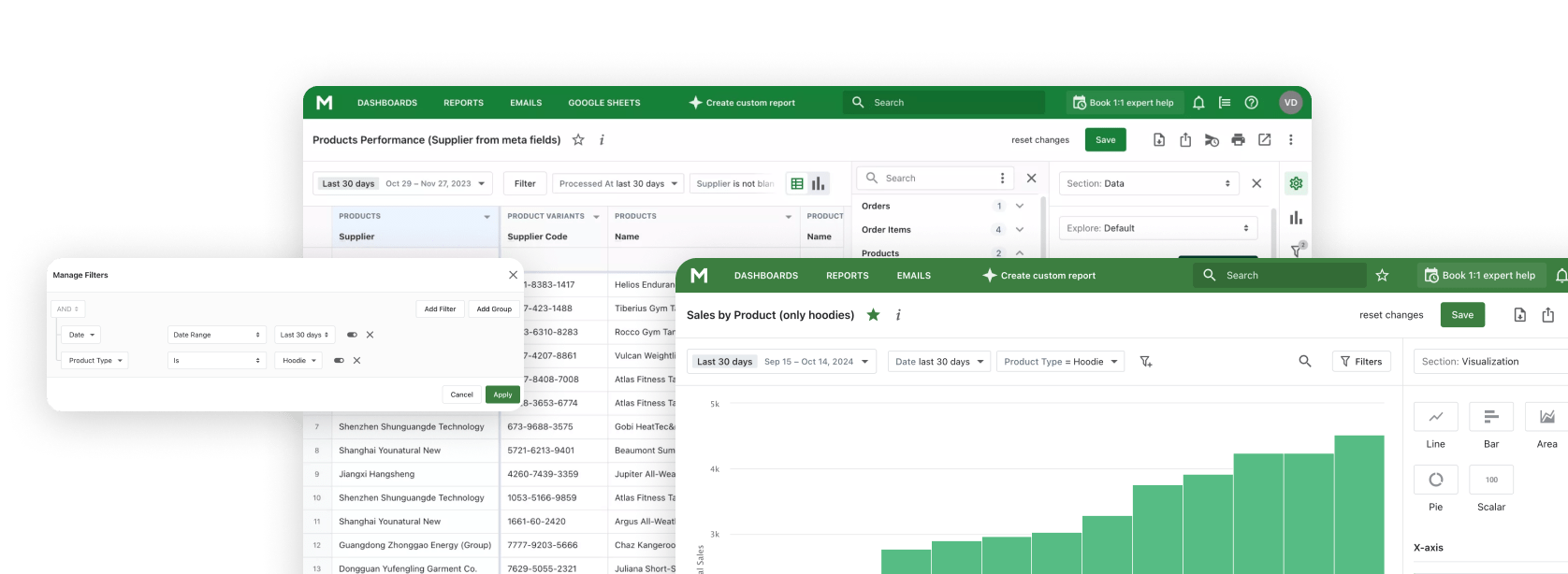
Connect AI tools like Claude, ChatGPT, and Gemini to Mipler Reports - your Shopify reporting and analytics platform.
Build reports, analyze trends, and get business insights through natural conversation using the Model Context Protocol.
Exportar datos constantemente de Shopify, copiarlos en hojas de cálculo y luego pegarlos en herramientas de IA. Un ciclo tedioso que desperdicia tiempo valioso.
Cuando preguntas a la IA sobre tu negocio, no tiene acceso a tus datos reales. Obtienes respuestas genéricas en lugar de información específica de tu tienda.
Saltar entre tu panel de análisis, chat de IA y hojas de cálculo interrumpe tu flujo y hace que el análisis sea ineficiente.
Conecta Claude directamente a los datos de tu tienda Shopify a través de Mipler Reports. Sin exportaciones, sin copiar, sin entrada manual de datos.
Haz preguntas en lenguaje sencillo y obtén respuestas de tus datos reales. Sin SQL, sin fórmulas, solo conversación.
Crea informes, paneles y análisis personalizados simplemente describiendo lo que necesitas. Claude lo construye por ti.
Crea informes personalizados a través de conversación. Describe qué datos necesitas y Claude construye el informe por ti.
Diseña paneles describiendo lo que quieres ver. Claude organiza gráficos, métricas y visualizaciones.
Obtén información impulsada por IA de los datos de tu tienda. Claude identifica tendencias, patrones y oportunidades.
Ejecuta cálculos y fórmulas personalizadas. Claude puede ejecutar expresiones para derivar nuevas métricas de tus datos.
Añade columnas calculadas para mejorar tus informes. Claude puede crear nuevos campos de datos basados en datos existentes.
Haz preguntas en lenguaje sencillo. No se requieren conocimientos técnicos para obtener las respuestas que necesitas.
Instala Mipler Reports desde la tienda de aplicaciones de Shopify y conéctalo a tu tienda. Tus datos se sincronizan automáticamente.
Set up the Model Context Protocol in your preferred AI tool - Claude, ChatGPT, Gemini CLI, or any MCP-compatible client using the Mipler configuration.
Comienza a hacer preguntas sobre los datos de tu tienda, crear informes y diseñar paneles a través de conversación natural.
"Show me today's sales"
"What are my top 10 selling products this month?"
"Create a report showing orders by country with average order value"
"Build a dashboard comparing this month vs last month sales, including total revenue, order count, and average order value "
"Analyze customer purchase patterns over the last 90 days: identify repeat buyers, calculate customer lifetime value, and find which products are most often bought together "
"Create a comprehensive monthly business review report:
- Revenue breakdown by product category, sales channel, and region
- Customer acquisition metrics: new vs returning customers, cost per acquisition
- Inventory health: slow-moving items, stockout risks, and reorder suggestions
- Top performing products and underperformers with trend analysis
- Recommendations for next month based on seasonal patterns and current data"
La aplicación de escritorio oficial de Anthropic para macOS y Windows.
Usa Claude AI directamente en tu navegador en claude.ai.
Interfaz de línea de comandos para desarrolladores y flujos de trabajo en terminal.
OpenAI's ChatGPT with MCP support via plugins and integrations.
Google's Gemini command-line interface for terminal-based AI workflows.
MCP (Model Context Protocol) es un estándar abierto desarrollado por Anthropic que permite a aplicaciones de IA como Claude conectarse de forma segura a fuentes de datos externas. Permite a Claude acceder y trabajar con tus datos directamente, en lugar de requerir que copies y pegues información manualmente.
Configurar Mipler Reports MCP implica tres pasos: Primero, instala Mipler Reports desde la tienda de aplicaciones de Shopify. Segundo, genera tu configuración MCP desde el panel de Mipler Reports. Tercero, añade la configuración a tu archivo de configuración de Claude Desktop. Las instrucciones detalladas de configuración se proporcionan en la aplicación.
A través de Mipler Reports MCP, Claude puede acceder a los datos de tu tienda Shopify incluyendo pedidos, productos, clientes, inventario y cualquier informe personalizado que hayas creado en Mipler Reports. Claude también puede crear nuevos informes, paneles y columnas calculadas en tu nombre.
Sí. Las conexiones MCP están autenticadas y cifradas. Claude accede a tus datos a través de la API segura de Mipler Reports, y tus credenciales de Shopify nunca se comparten directamente con Claude. Tú controlas exactamente a qué datos puede acceder Claude a través de los permisos de Mipler Reports.
No se requieren conocimientos técnicos para usar Mipler Reports MCP una vez configurado. Interactúas con Claude usando lenguaje natural: solo haz preguntas o describe lo que quieres construir. La configuración inicial requiere seguir pasos de configuración simples, pero no implica programación.
Mipler Reports MCP brings AI-powered analytics to your Shopify store through the Model Context Protocol. This open standard developed by Anthropic allows AI tools like Claude, ChatGPT, and Gemini to connect directly to your store data, enabling a seamless reporting and analytics experience without manual data exports or complex queries.
Traditional Shopify analytics often requires tedious workflows: exporting data, copying into spreadsheets, and pasting into AI tools. With Mipler Reports MCP, you eliminate this friction entirely. Your AI assistant has direct access to your orders, products, customers, and inventory data, delivering insights specific to your store rather than generic answers.
Through natural language queries, you can build custom reports, create dashboards, and analyze trends just by describing what you need. Ask questions like "What are my top selling products this month?" or "Create a report showing orders by country with average order value" and get instant results from your real Shopify data.
Mipler Reports MCP works with any application that supports the Model Context Protocol, including Claude Desktop, Claude Web, Claude Code CLI, ChatGPT with MCP plugins, and Gemini CLI. Setup is simple: install Mipler Reports from the Shopify App Store, generate your MCP configuration, and add it to your preferred AI tool.
Whether you need daily sales summaries, comprehensive inventory health reports, or customer acquisition analysis, Mipler Reports MCP transforms how you interact with your Shopify data. No SQL knowledge required, no formulas to learn — just natural conversation with AI that understands your business.
Únete a Mipler ahora y benefíciate de informes significativos hoy.