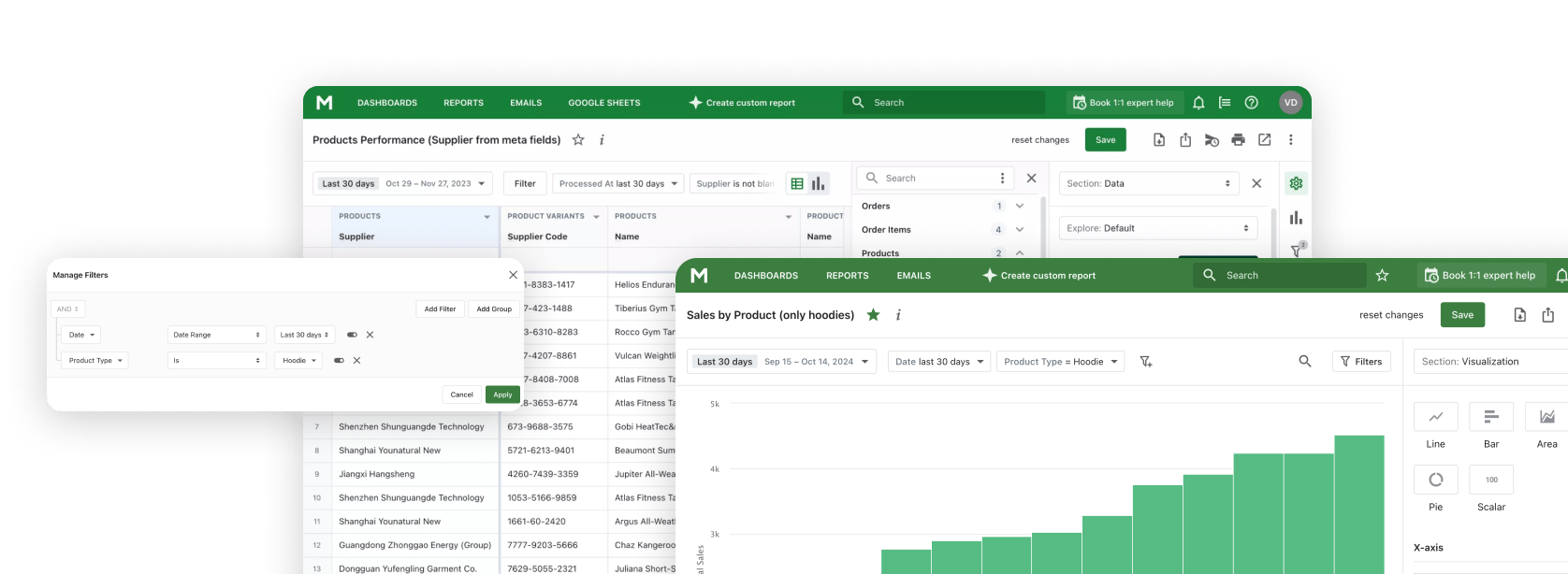
If you run more than one Shopify store, the most common reporting question is the simplest one: how is the business doing in total? Shopify itself answers this only partially - Shopify Markets unifies a single store across regions, but separate stores stay separate. Every cross-store report turns into a CSV-merge job.
Mipler removes that step. Link your stores once, and every report in Mipler - sales, inventory, customers, refunds, payouts, everything - aggregates across all of them automatically. There is no special "multi-store report" to build. Every report becomes multi-store the moment a second store is connected.
Why multi-store reporting matters
Multi-store setups are normal once a business scales: a US store and an EU store, a wholesale store next to a DTC store, a recently acquired brand alongside the parent, or simply separate stores per region for currency and language reasons. The data lives in different Shopify instances, but the operational decisions are joint:
- Inventory: "Where is SKU SHIRT-NAVY-M short on stock, and where do we have surplus to transfer?"
- Sales: "What is total revenue this month across all brands?"
- Customers: "Who buys from us in more than one store?"
- Profit: "Which collection is profitable in the EU but not the US?"
- Finance: "What are total payouts across all stores for the quarter?"
None of these questions can be answered by Shopify Admin alone, because Shopify Admin is store-scoped. The standard workaround is exporting CSVs from each store and merging them by hand - a routine that breaks the moment column orders shift between exports.
How Mipler aggregates across stores
Mipler's multi-store works at the datasource layer, not at the report layer. When you link a second store under your Mipler account, Mipler stores its access key and instance ID. Then, every query the report engine runs adds instance_id IN (your_store, linked_store_1, linked_store_2, ...) to the underlying SQL.
This means:
- Every datasource aggregates. Orders, products, customers, inventory, refunds, payouts, transactions - all of them.
- Every report becomes multi-store. Any of our 100+ pre-built Shopify reports or any custom report you build works across linked stores without any extra configuration.
- You can still filter to one store. A "store" column is available, so you can keep aggregated and per-store views in the same report.
No special query language. No "combine" button to remember. The aggregation is the default once stores are linked.


What you can report across linked stores
Because aggregation happens at the datasource level, every Mipler report works. The ones merchants reach for most across multiple stores:
- Sales overview - total revenue, AOV, and order count combined across stores, optionally broken down by store.
- Inventory on hand - stock levels by SKU across every store, exposing transfer opportunities.
- Customer LTV - lifetime value computed across all stores a customer bought from.
- RFM segmentation - segments built on combined purchase history, not per-store history.
- Payouts - combined payout schedule for finance reconciliation.
- Refunds - return rate across all stores to spot a product issue earlier.
- Sales by country - geo cuts that ignore which store technically processed the order.
Three reports that only work multi-store
Some questions are not interesting per store - they are only interesting across stores:
- Cross-brand customer overlap. Customers who bought from both your DTC store and your wholesale store, with combined LTV. Useful for tiering loyalty programs.
- Inventory transfer candidates. Products with surplus stock in one warehouse / store and a stock-out risk in another. The report pairs the two automatically.
- Brand-portfolio dashboard. Revenue, AOV, repeat rate, and inventory days for each brand on a single dashboard - the kind of view an operator or investor expects at the portfolio level.

How to set up multi-store in Mipler
- Install Mipler on every Shopify store you want to include.
- Copy the access key from each store's Mipler settings page.
- Open the primary store's Mipler and paste the access keys into Linked Stores under Settings.
- Open any report. It now aggregates across every linked store. Use the "store" column to break out per-store totals when you need them.
The multi-store capability is part of paid plans starting at the higher tiers - check pricing for the current breakdown. Shopify Plus merchants typically have it included.

Multi-store vs Shopify Markets
Shopify Markets and Mipler's multi-store solve different problems:
- Shopify Markets is one store serving multiple regions. Currency conversion, language, regional pricing, and tax all live inside that single store. Built-in reports already cover Markets.
- Mipler multi-store is multiple separate Shopify stores (separate admin, separate billing, separate apps) aggregated for reporting. Each store can use Markets internally; Mipler aggregates over all of them anyway.
The two combine. A US store running Markets for North America + an EU store running Markets for Europe equals two Shopify instances linked in Mipler, each with their own Markets configuration, with reports aggregated across all of it.

Automate multi-store reports
Multi-store reports get the same automation as any other Mipler report. Use scheduled reports to email a daily multi-brand digest to the operations team, push a weekly cross-store inventory report to a Google Sheet that finance reads from, or publish a portfolio dashboard at a public link that an investor can check without a Shopify account.
FAQ
Can Shopify combine data from multiple stores?
Shopify Admin reports are scoped to a single store. Shopify Markets unifies one store across regions, but two separate stores stay separate in native reporting. To consolidate across separate stores, you need a third-party reporting layer like Mipler.
How many stores can I link in Mipler?
Multi-store is included on paid plans at the higher tiers. The number of stores supported scales with plan; check the pricing page for the current breakdown. Most multi-brand setups stay well within the included allowance.
Do all my reports turn into multi-store automatically?
Yes. Aggregation happens at the data layer, so every report you build - pre-built or custom, simple or complex - aggregates across linked stores the moment they are linked. You do not configure anything per-report.
Can I still see per-store numbers?
Yes. Every record carries the originating store, so you can keep aggregated totals and per-store breakdowns in the same report - typically as a "store" dimension column.
Does multi-store work with metafields and metaobjects?
Yes. Metafields are exposed per datasource, so any metafield-driven custom report aggregates across linked stores like any other report. The same applies to metaobjects and line-item properties.
What if my stores use different currencies?
Each store keeps its native currency in the data. Mipler can convert on-the-fly to a chosen presentation currency for combined totals, or you can break out totals per-currency. The two views coexist in the same report.
Is multi-store reporting safe? Does linking grant access in both directions?
Linking is one-directional. The store that holds the access keys reads aggregated data; the linked store does not gain any access to the primary. Each access key can be revoked from the linked store at any time.
Can I schedule a multi-store report by email?
Yes. Open the report, click Schedule, and configure recipients and cadence the same way you would for a single-store report. The schedule fires on the combined dataset.
Why Mipler is built for multi-store
Mipler's multi-store is not bolted on - the data model has carried instance_id as a column since day one, which is why aggregation works for every datasource without per-report configuration. Most reporting apps approach multi-store as a UI feature ("combine these CSVs") or as a Plus-only add-on with custom SQL. Mipler treats it as a query-layer property.
If you currently merge per-store exports by hand, multi-store removes that work entirely. The first link takes about three minutes; everything downstream just starts aggregating.